For special education teachers
One assessment, ready for every student.
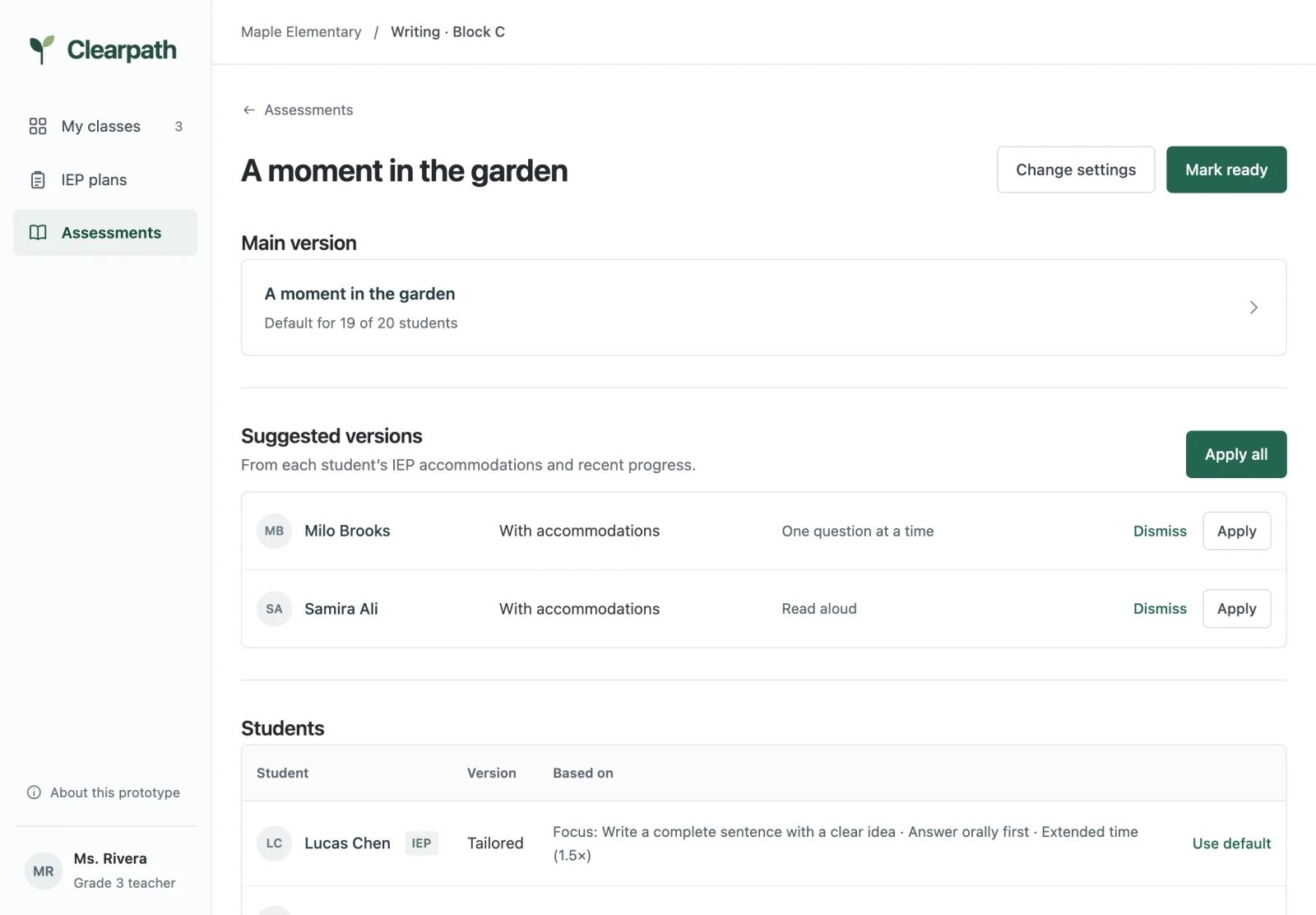
Bring in the assessment your class is already taking. Clearpath suggests a version for each student with an IEP, from their accommodations and progress, and keeps their goals and progress in one place.
Free to explore. Runs in your browser with sample students. No sign-up.
What Clearpath does
Clearpath is a workspace for teachers who support students with IEPs. You write or import one assessment for the class. Clearpath suggests each student's version from their IEP plan: accommodations like extended time, read aloud, or one question at a time, or a shorter version that names the objective they are working on. Progress, IEP goals, and team notes sit next to it, so the picture of each student stays in one place.
Who it's for
Special education and general education teachers, case managers, and the providers who work with them.
What it replaces
Rewriting the same worksheet for each student, and progress notes spread across documents. Not your IEP system of record.
What it suggests
A version for each student with an IEP. You review, edit, apply, or dismiss every suggestion. Clearpath makes no IEP decisions.
How it works
- 1
Bring in your assessment
Paste the text from Word or Google Docs, or load a .txt file. Pick the class. That's the main version, the one most students take.
- 2
Review suggested versions
Clearpath uses the accommodations and objectives in each student's IEP plan to suggest a version: their accommodations, or a tailored version tied to an objective when they need more support. Apply, edit, or dismiss.
- 3
Print and track progress
Print each version. Record results against IEP objectives, with photos of student work, and see the trend toward the goal.
Assessments
Every student listed, nobody missed
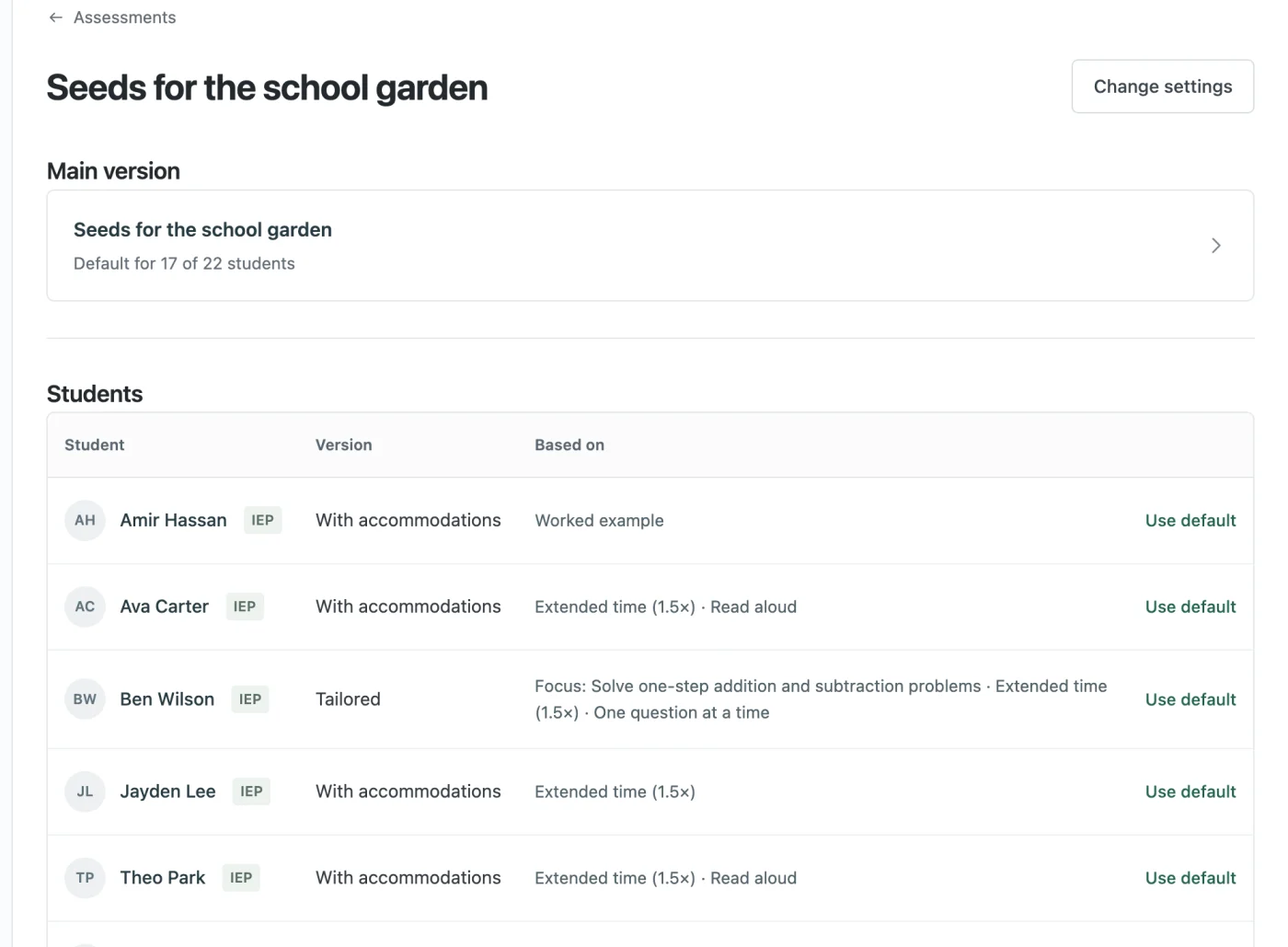
Each assessment shows the main version and every student in the class. Students with accommodations or a tailored version are marked with what it's based on. Everyone else is marked Default.
- Accommodations come straight from the IEP
- Switch any student back to the main version in one click
- Works across all your classes
Tailored versions
A version that fits the goal
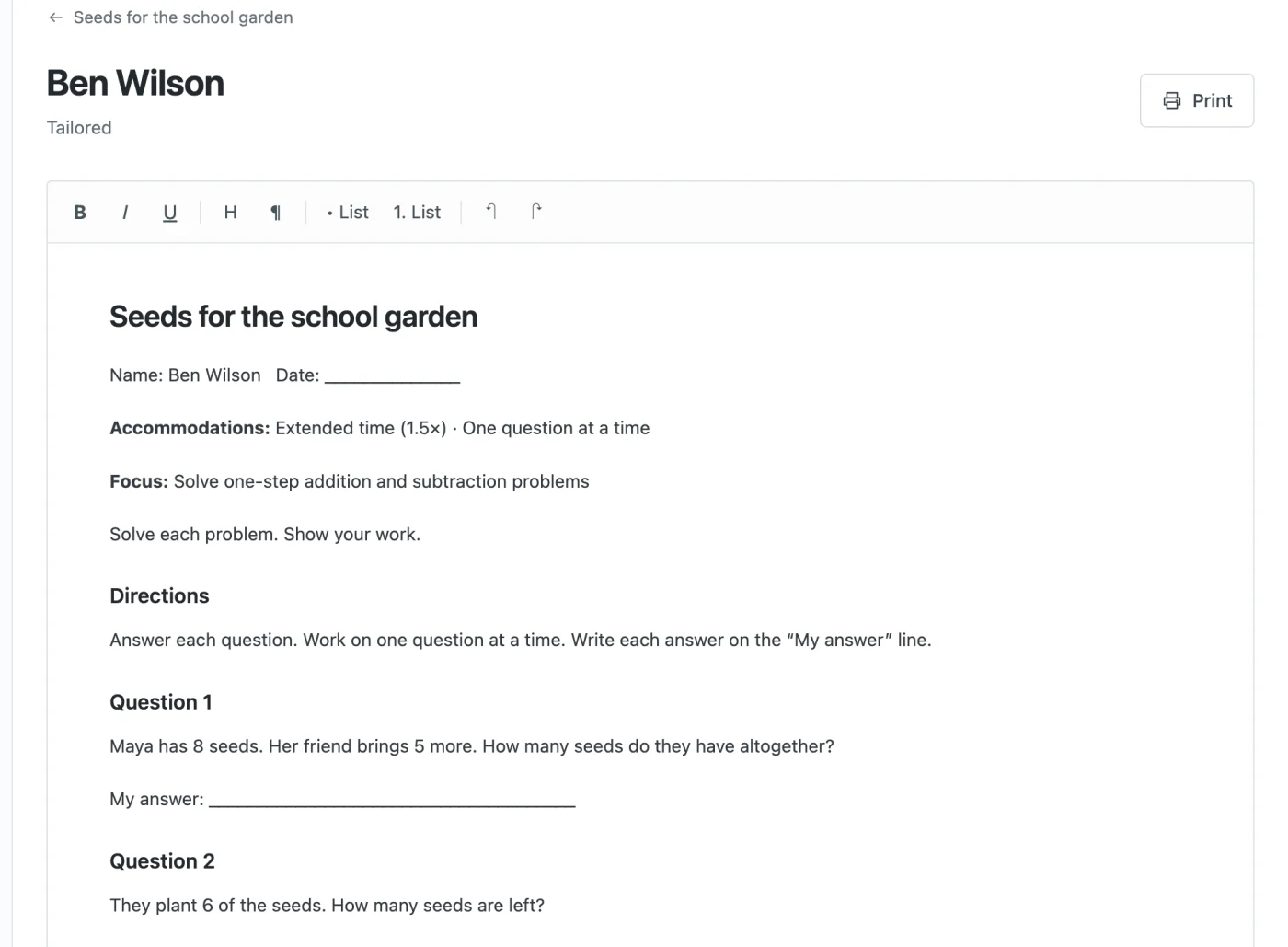
When a student is working toward an objective in that subject, Clearpath can suggest a shorter version that names the objective at the top, with their accommodations applied and room to answer. Edit anything before you print.
- Built from the main version, not from scratch
- Focus objective shown at the top
- Rich text editing and print-ready layout
Progress
Progress against the IEP, at a glance
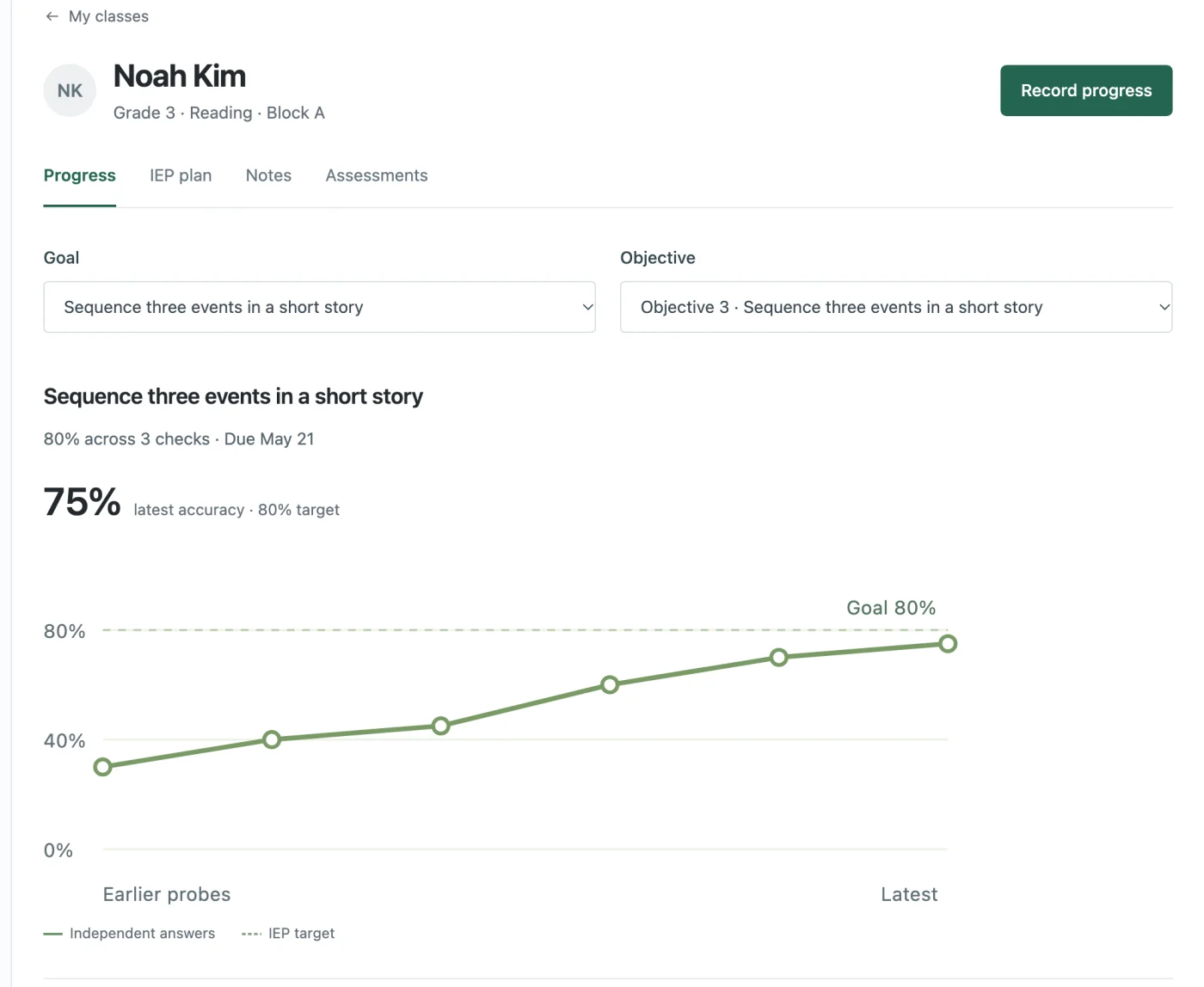
Record results for each objective, attach a photo or PDF of the student's work, and see each check plotted against the IEP target. Goals, objectives, and accommodations live on the student's page.
- Goals with nested, measurable objectives
- Upload evidence or snap it with a phone
- Read weekly team notes with a cited summary
Screens shown with fictional sample students.
Built with student privacy in mind
Student records are sensitive. The prototype keeps everything you enter in your own browser. Nothing is sent to a server, and the sample data is fictional.
- Stays on your device. Edits and uploads are saved locally in the prototype.
- Teacher in control. Every suggestion is reviewed and approved by you.
- Suggestions, not decisions. Accommodations come from the IEP plan. Tailored versions are only suggested, and you decide.
About
Made by Elench Labs
Elench Labs is a small team building Clearpath with special education teachers. We're early, and we're shaping the product around what teachers tell us they need. If you teach students with IEPs, we'd love for you to try the prototype and tell us what works and what doesn't.
See it with sample students
Explore three classes, sample IEPs, and assessments with every kind of student version.
Try the prototype